Weld and repair
STL, OBJ, PLY, OFF, 3MF or GLB. Micron cracks are welded, broken faces dropped, separate bodies split, and a cavity stays a cavity inside its part.
stlToSolid turns STL, OBJ and 3MF files into clean STEP solids with real planes, cylinders and holes. Sketch on them, measure them and model around them in Fusion 360.


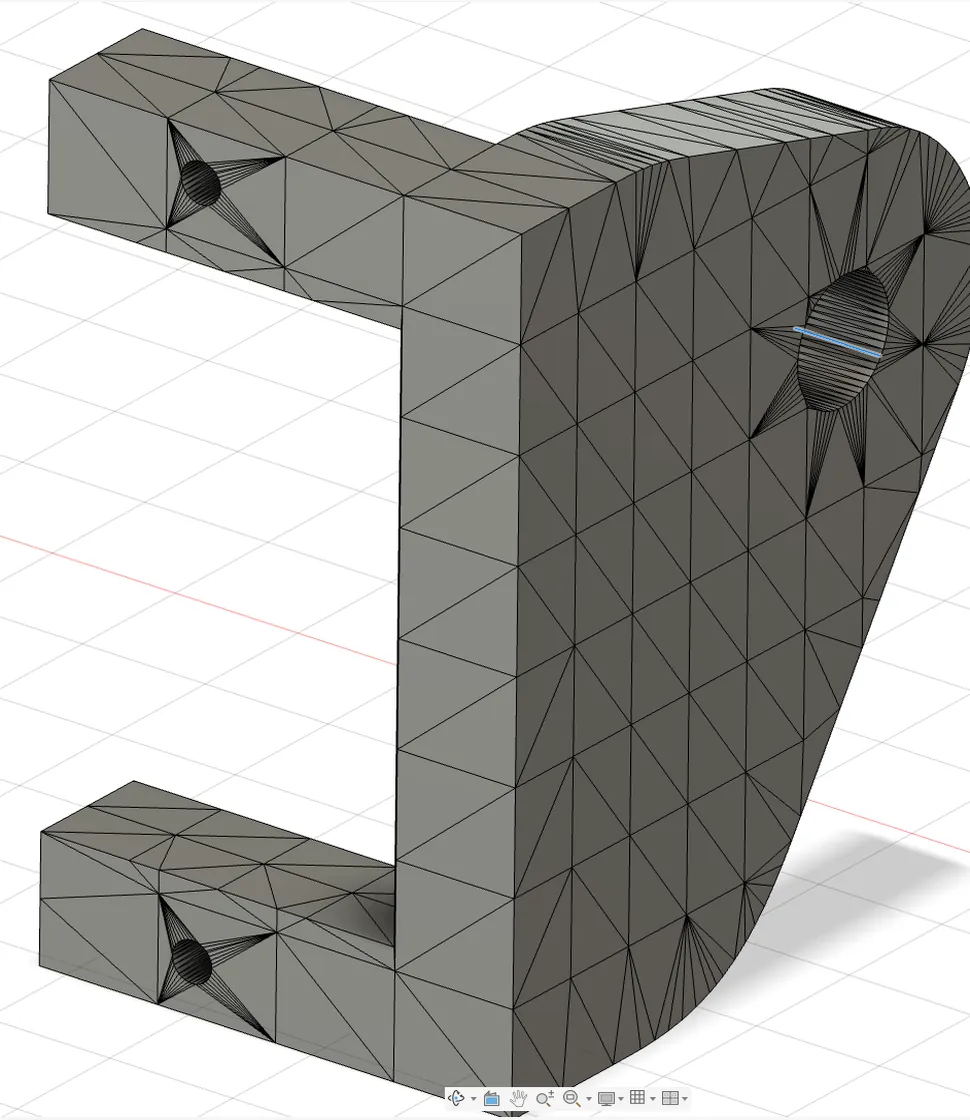
A Ø 8.5 mm bore comes in as a ring of flat strips. Measure snaps to a facet, not the centre.
Every flat side is cut into triangles, so “sketch on face” lands on a sliver.
Fusion’s tools want real edges. A faceted body gives them thousands of tiny ones.
Fusion’s Prismatic mesh conversion isn’t on the free tier. Rebuilding by hand takes an evening per part.
Drag the line. Left is Fusion’s own Mesh → Solid. Right is the STEP from stlToSolid, opened in the same Fusion: 15 planes, 8 cylinders, holes that are holes.

The same steps you would take by hand, done in seconds and checked at the end.
STL, OBJ, PLY, OFF, 3MF or GLB. Micron cracks are welded, broken faces dropped, separate bodies split, and a cavity stays a cavity inside its part.
Face normals are clustered on a sphere. Each candidate direction is scored by how much of the part keeps the same cross-section along it.
Flat faces vote for heights. Where the section starts to change, at a chamfer, a countersink or a boss top, a new level is found by bisection.
Each outline is split into lines and arcs. Radii are refitted on the mesh vertices, which sit exactly on the original CAD surface.
Facet noise like r = 5.242 … 5.257 across the part becomes one design radius. Holes line up, corners square up.
Extrude, loft with analytic faces, cut the cross holes, then measure the solid against the mesh both ways. Fail the gate and it tries the next route, never silently.
Pick a tool in the top bar, the way you would in Fusion. The panel shows only what that tool needs.
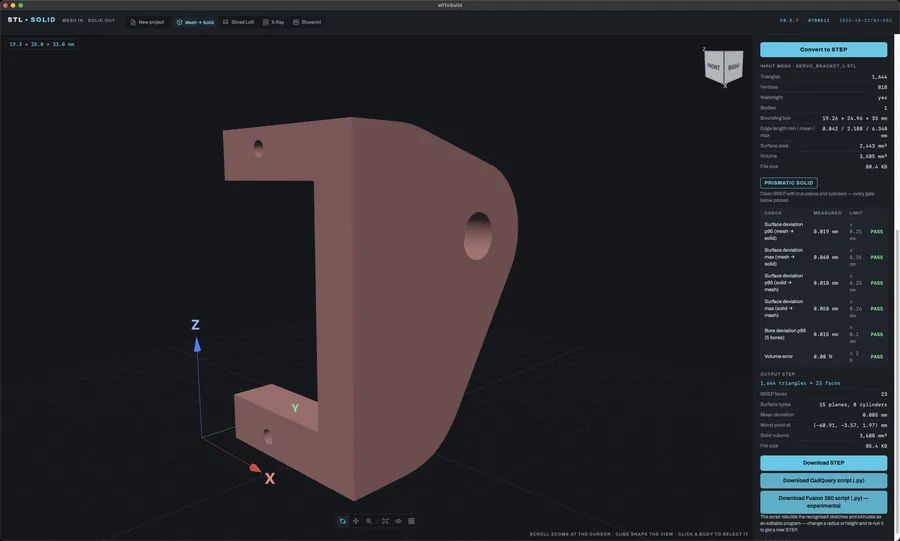
For machined and printed parts: brackets, arms, housings.
Tries a prismatic fit first, then face groups, then faceted. Every route is held to the accuracy gate you set, and the report says which one won.
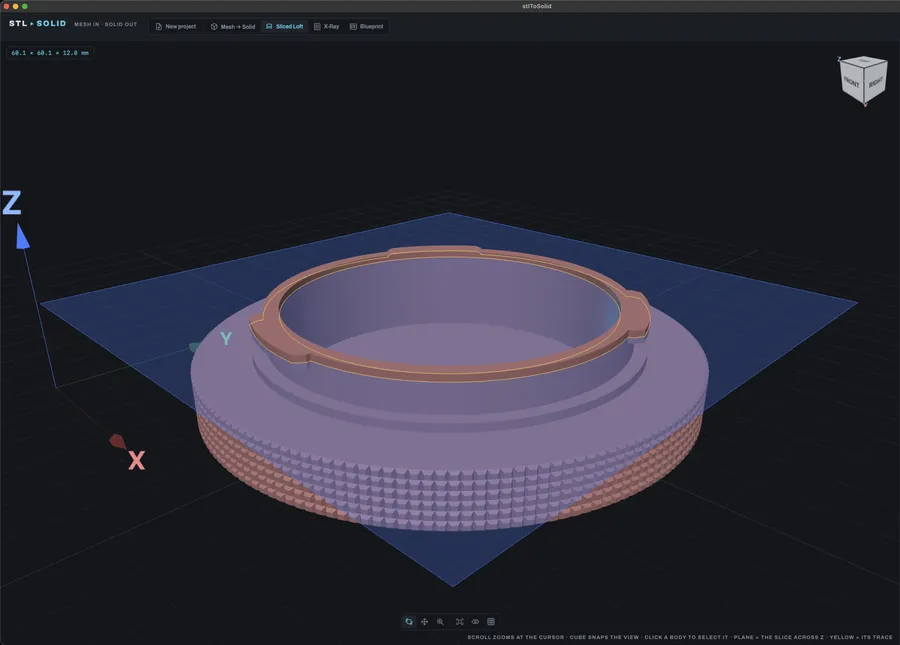
For shapes that change smoothly: caps, handles, shells.
Slices the body every 0.2 mm, redraws each outline as a spline and lofts one smooth face per run. Shoulders stay flat faces. Holes along the axis are cut.
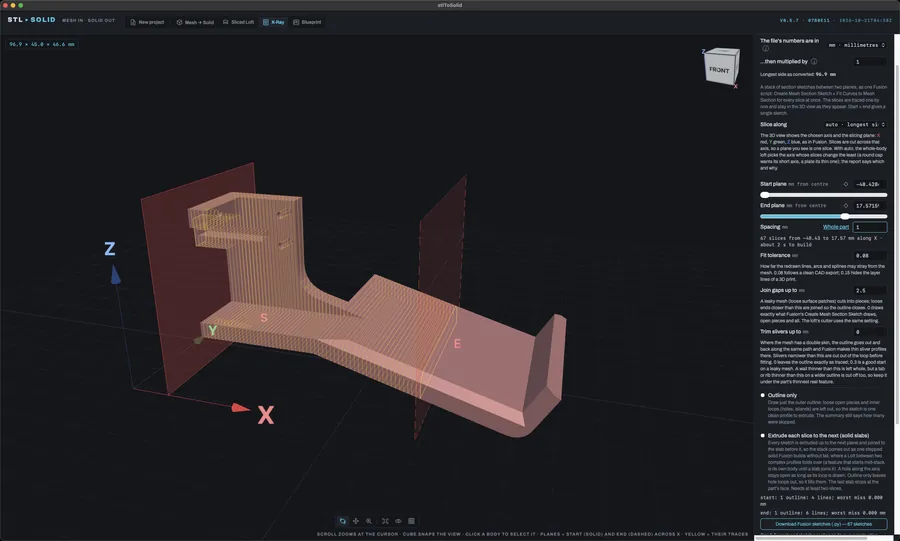
For organic parts and scans you want to rebuild your way.
Pick a start plane, an end plane and a spacing. The outlines are traced slice by slice, then downloaded as one Fusion script: a closed sketch per slice, extruded into slabs if you like.
For parts you only have a drawing of.
Drop a dimensioned drawing. A vision model of your choice reads the labels into named parameters, and you get a parametric Fusion script, a STEP and a live 3D preview. Fix a number and it redraws.
body_h and the boss moves with it The drawing you drop in
 What Blueprint builds from it
The Mesh to Outline add-in on a scanned controller, from two planes to one body. Every picture is Fusion 360.
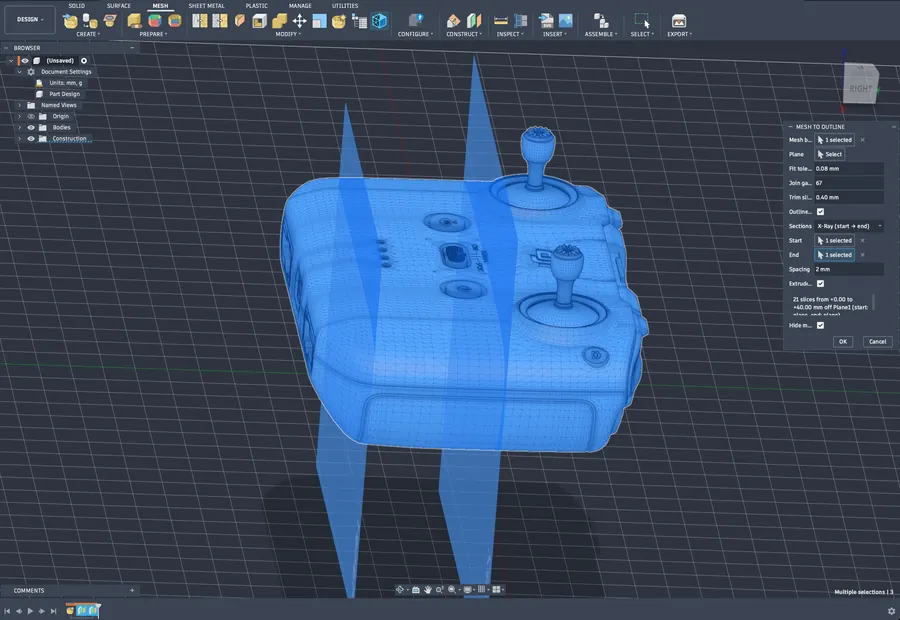
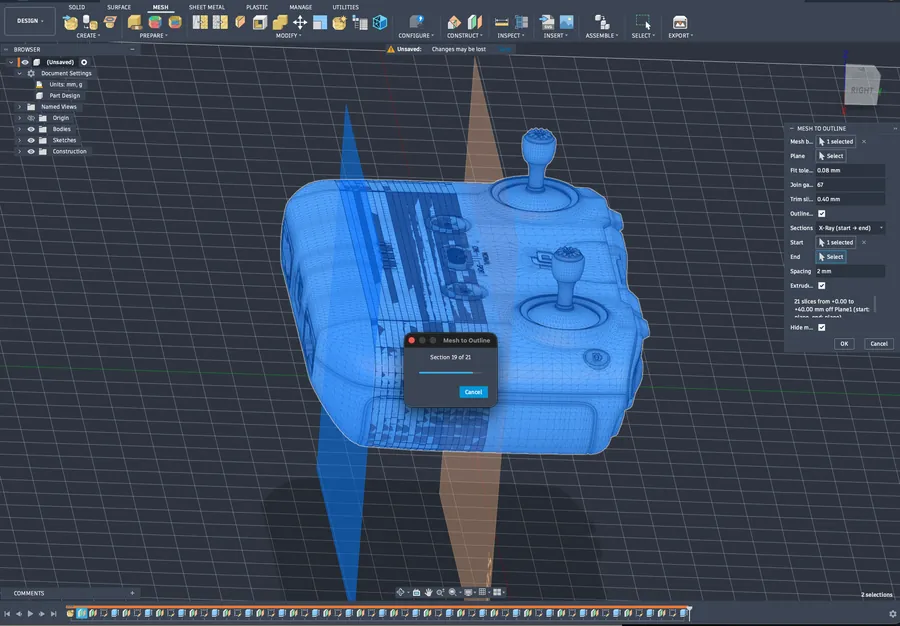
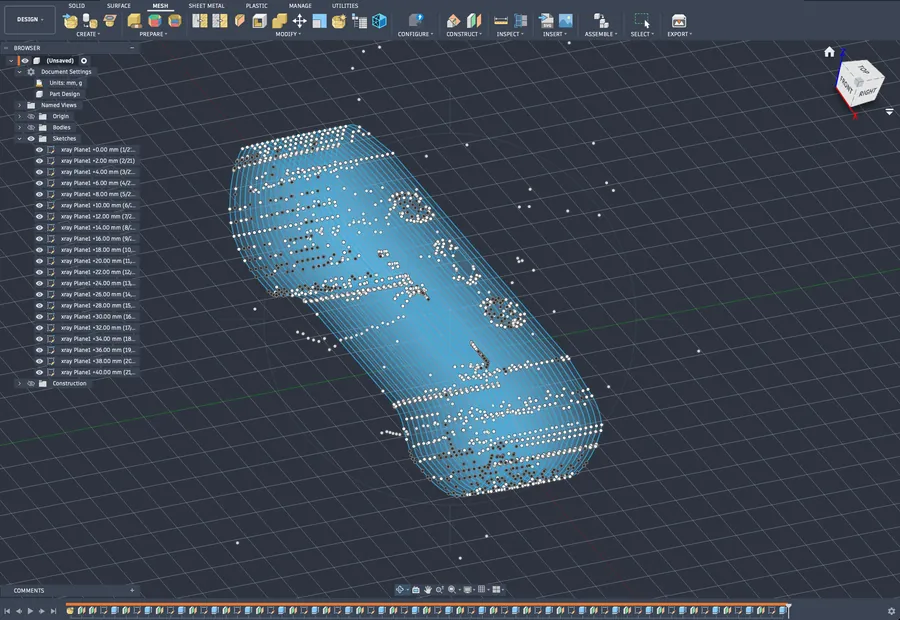
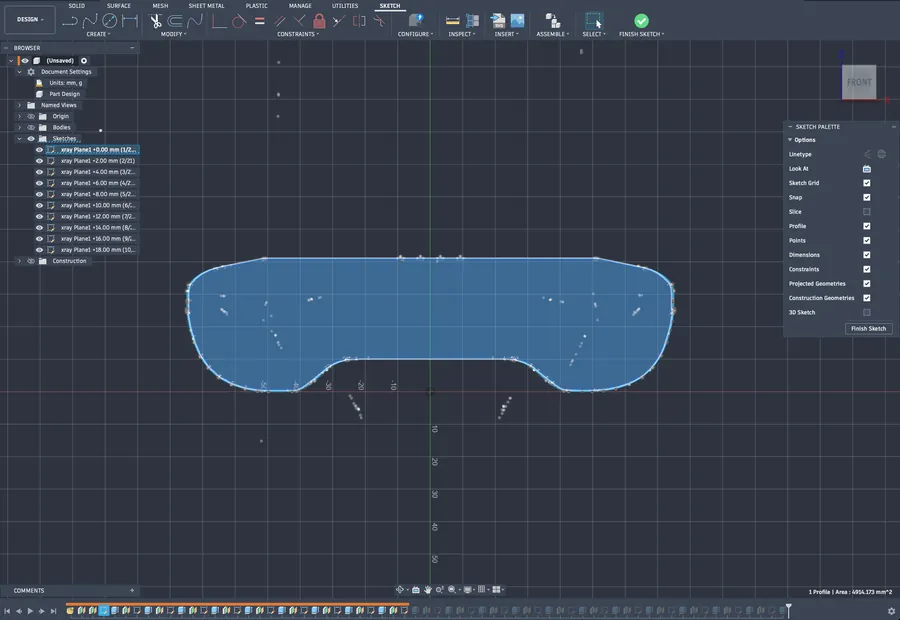
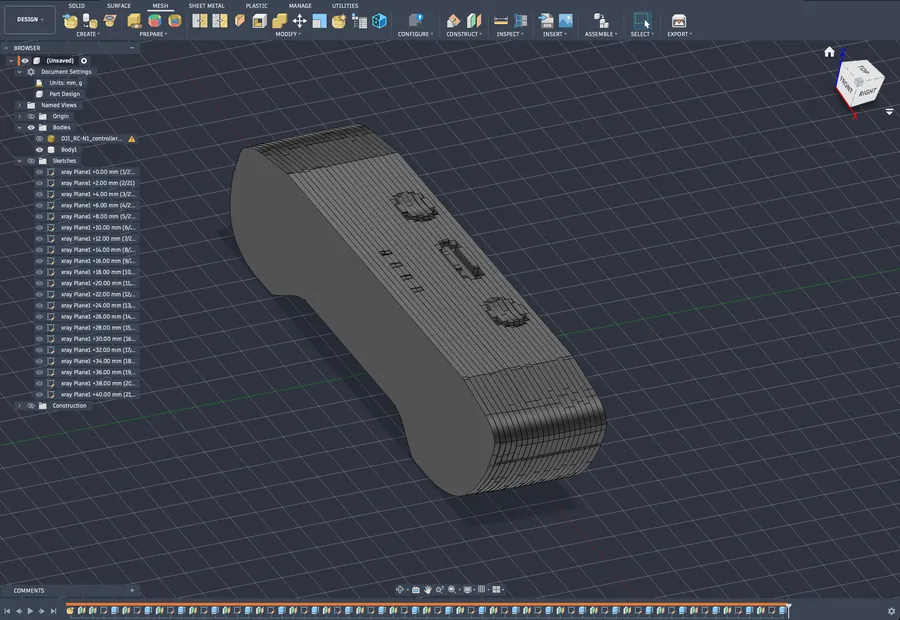
Choose the mesh body, a start plane, an end plane and a spacing. Here: 2 mm apart, 21 slices through a scanned controller.
Each slice is cut and fitted in turn, right inside Fusion. The progress dialog counts the sections, and Cancel stops it cleanly.
Every slice lands as its own named sketch on its own plane, listed in the browser from the first plane to the last.
Each sketch is one closed outline of lines, arcs and splines, so Fusion sees a profile it can extrude, offset or fillet.
Tick Extrude and each sketch is extruded to the next and joined. The stack becomes one solid body in the timeline.
Every result is checked against the mesh before you download it: surface deviation both ways, bore deviation and volume. You set the limits.
0.019mm, 95th-percentile deviation on the servo bracket
2,134 triangles became 153 faces
Coloured as the STEP colours them. Curved blends come out as tori, ball ends as spheres, countersinks as cones.
| Part | Triangles in | Faces out | Reduction | Max deviation | Volume error |
|---|---|---|---|---|---|
| Servo bracket | 1,644 | 23 | 0.060 mm | 0.08 % | |
| Servo bracket 2 | 1,712 | 19 | 0.044 mm | 0.06 % | |
| Top arm | 3,896 | 44 | 0.050 mm | 0.00 % | |
| Frame | 4,200 | 101 | 0.040 mm | 0.03 % | |
| Joystick claw | 2,134 | 153 | 0.019 mm | 0.07 % |
The report tells you how close it is, in millimetres, before you start designing.
2sservo bracket, start to STEP
22slens cap as one smooth loft
98.6%fewer faces on the bracket
0.08%volume error
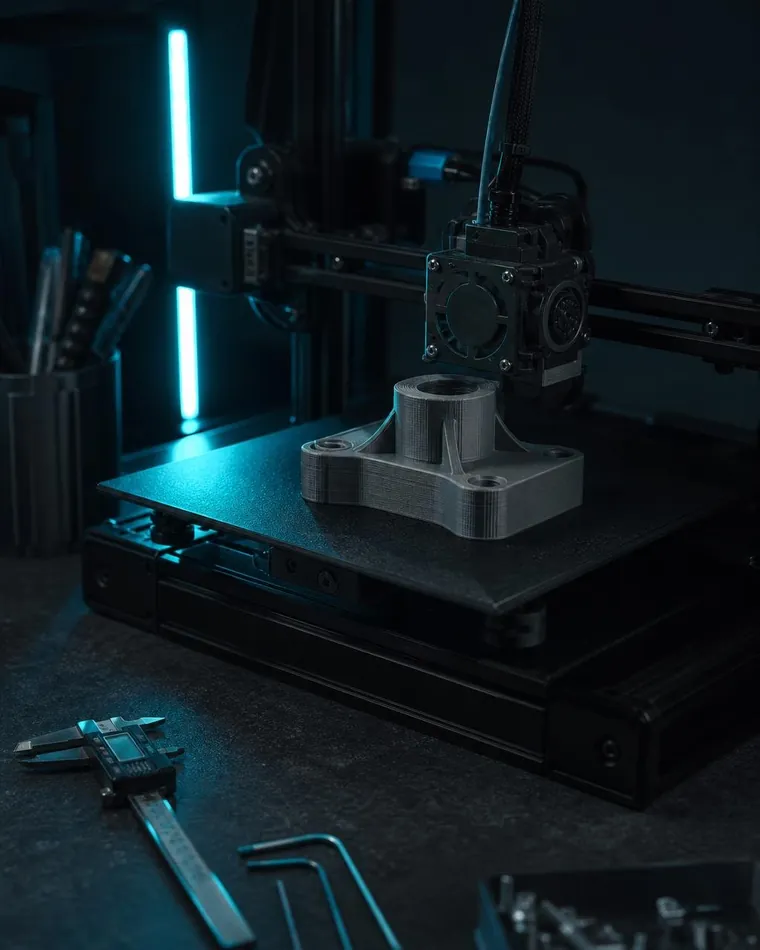
Model a mount, a lid or an adapter around a part you downloaded, and get the fit right first time.
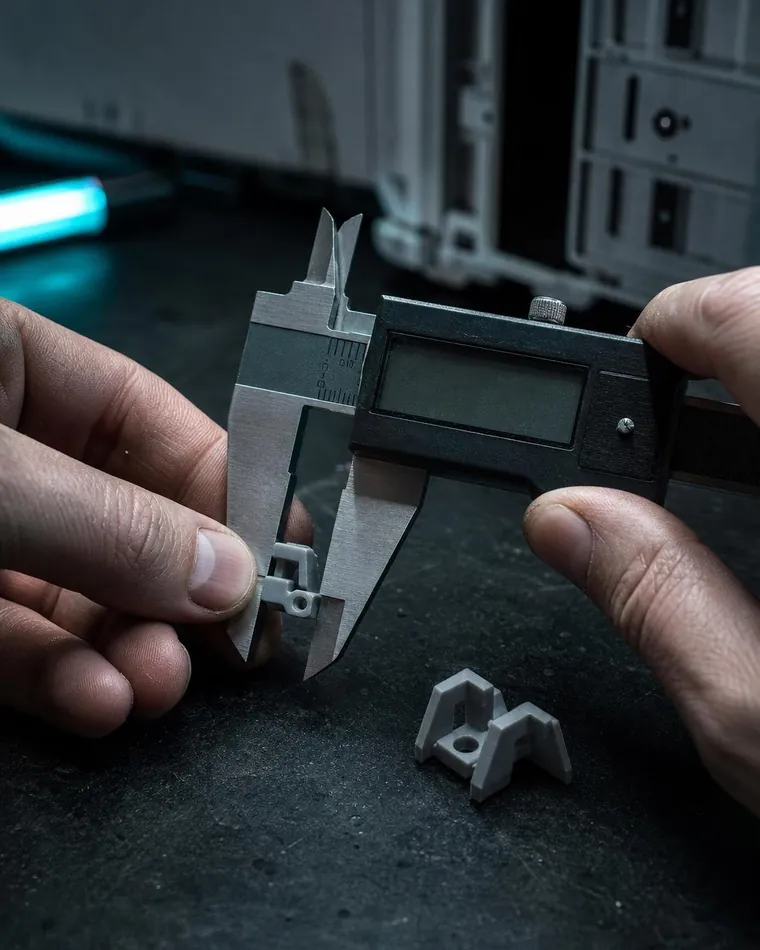
Rebuild a clip or knob from a scan or an old print, then change what broke.
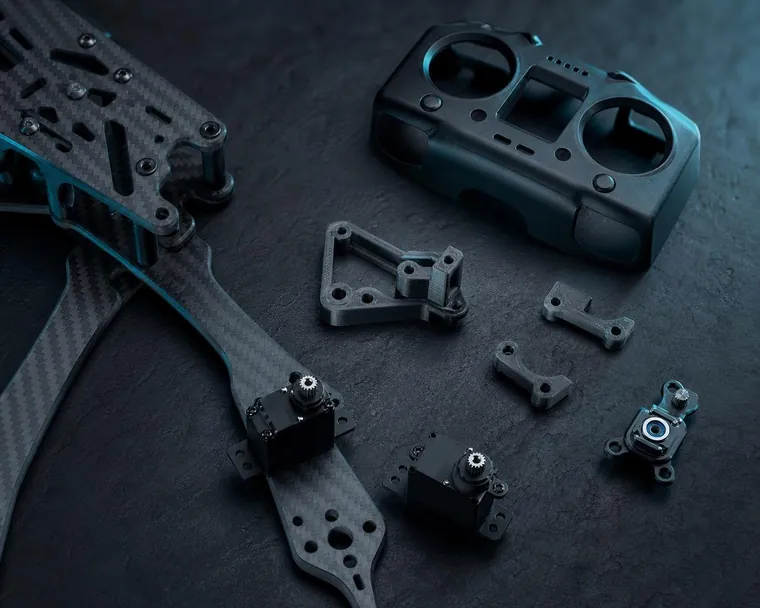
Turn community STLs of frames, arms and servo mounts into parts you can resize and remix.

Slice a scan into clean outlines with X-Ray and rebuild it as a real model.
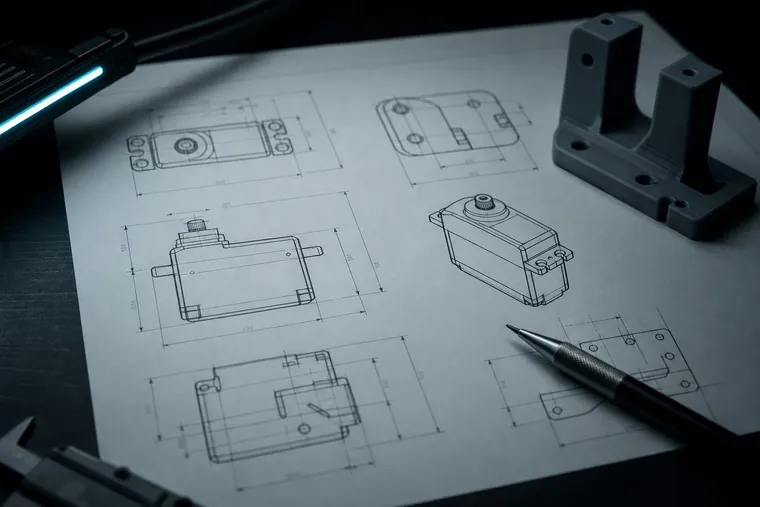
Start from a datasheet drawing and end with a parametric Fusion model.
R_1, run it, get a new STEP.# ---- parameters (radii R_n, slab heights H_n) ----
H_1 = 14.4202
R_1 = 4.2501 # the Ø 8.50 mm bore
H_4 = 3.5
R_3 = 2.4547
# slab 1: h = -64.6751 .. -64.1385 (extrude)
_s = (cq.Workplane(plane_at(-64.6751))
.moveTo(1.2749, -17.4883)
.lineTo(1.2749, -10.2705)
.threePointArc((0.2094, -6.0986), (-2.726, -2.9487))
.lineTo(-17.0769, 6.2616)
.close()
.moveTo(-21.12, -0.0065).circle(R_1)
.extrude(H_2))Downloads come from the latest GitHub release.
Apple Silicon. A native window over the full app, no Python or Docker to install.
Download for Mac64-bit. Unzip and open. The same four tools, the same results.
Download for WindowsOne Docker container. Open it from any browser on your network, and let the long conversions run while you print.
docker compose up --buildMesh to Outline sits on Fusion’s Mesh tab. Pick a mesh body and a plane, and it draws the section as lines, arcs, circles and fitted splines, or a whole X-Ray stack between two planes. STL to Solid fits planes, cylinders, cones, spheres and tori to a mesh body, then lets Fusion’s Boundary Fill keep the material. Both run in Fusion’s own Python, with no server.
Get the add-ins


